02 September 2010

Windows Phone 7 goes gold master, begins rolling out to partners for final launch preparations


01 September 2010

Mind Maps


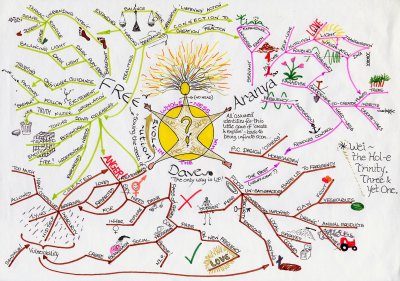
A mind map is a diagram used to represent words, ideas, tasks, or other items linked to and arranged around a central key word or idea. Mind maps are used to generate, visualize, structure, and classify ideas, and as an aid to studying and organizing information, solving problems, making decisions, and writing.

Mind maps were invented by the popular psychology author Tony Buzan, According to Tony Buzan if mind maps are used properly they can increase creativity, productivity, visualization and imagination.

Mind mapping basically revolves around the principle of constructing a basic idea, thought or image and efficiently branching it out to different ideas and perspectives.

The Mind Map Book:
In his book: (The Mind Map Book: How to Use Radiant Thinking to Maximize Your Brain's Untapped Potential) Author Tony Buzan explains the natural architecture of the human brain, Radiant thinking, Brainstorming, How to convert brainstorming into mind mapping and How to use mind maps efficiently.

iMindMap:
iMindMap is a software that eases the process of mind mapping through the use of computers, It is a very easy software that you can master in a very small time, It has an interactive tutorial at the beginning that will guide you through the software so that you can easily make mind maps.
The software also allows you to use mind maps in project management and brainstorming.


In this video Buzan talks about the idea behind mind maps, How the brain responds to them and How to use them efficiently:


Resources:
In the RAR file you'll find:
-The Mind Map Book torrent.
-iMindMap Professional 4.1.2 torrent.
Both torrents are healthy, To download the file: Click Here.

By : Cipher

27 February 2010

How to create an elegant web layout in Photoshop

In this tutorial I will show you how to create an elegant web layout in Photoshop using thin lines, subtle gradients and beautiful typography.

Final Result

Have a look at the layout that we’ll be creating in this tutorial.

TutorialHow to create an elegant web layout in Photoshop


By : Cipher

Convert Your Old Laptop into a Digital Projector DIY Project


Some people have an extra $1,000 just lying around to buy a digital projector. Unfortunately, most of the people that I know, myself included, do not. Here's how you can build your own digital projector on the cheap.
Ed. note: The following guide comes from DIYer Randy Sarafan's 62 Projects to Make with a Dead Computer: (And Other Discarded Electronics). Read more about Randy's projects and his book below.
There is nothing worse than being broke and spending long nights on the couch eating cold leftover pizza and watching spaghetti westerns on a 15-inch tube TV. Okay, to be fair, you may like cold pizza, but a screen six feet larger surely couldn't hurt the situation, right? At the very least, you can give Clint Eastwood the justice he deserves, and you won't even need to rob a bank or hold up a stagecoach to make it happen. This DIY projector can be made for $150 or less (depending on how resourceful you are). Worst-case scenario, you may have to eat buttered noodles for an entire week to be able to afford it, but it's a doable short-term sacrifice for an extremely valuable long-term investment in large-scale entertainment.
A Brief Word on Safety
This project description is intended to provide you with ideas and techniques for repurposing electronic equipment that might otherwise be discarded. While the directions are intended to help you move in a step-by-step way toward the finished project, you should always use caution, sound judgment and common sense whenever handling electronic equipment. Be sure to always familiarize yourself with the safety warnings and instructions for any tools, equipment, and other materials you may use in any projects. And, if you are uncertain about your ability to safely perform any of the techniques described in this project selection, seek the advice of a professional.

Materials

  • LCD monitor or laptop with a broken backlight
  • Mini screwdriver set
  • Cardboard box, the same height as the projector bed
  • Overhead projector (available on eBay or Craigslist, or at Office Max)
  • Small fan
  • four 1/2" spacers
  • DVDs!
Rest of The article : Life Hacker Convert Your Old Laptop into a Digital Projector

By : Cipher